Office 365: How long does an outage need to last to be an outage?

I was working on a SharePoint site in Office 365 recently when the site became unresponsive. <Click> count to 10 <click again> count to 10. The site was so slow it was unusable. I dd the normal troubleshooting routine:

  • Is my computer performing well? Yes
  • Is my Internet connection congested? No
  • Does the Office 365 Service Dashboard say anything is wrong? No
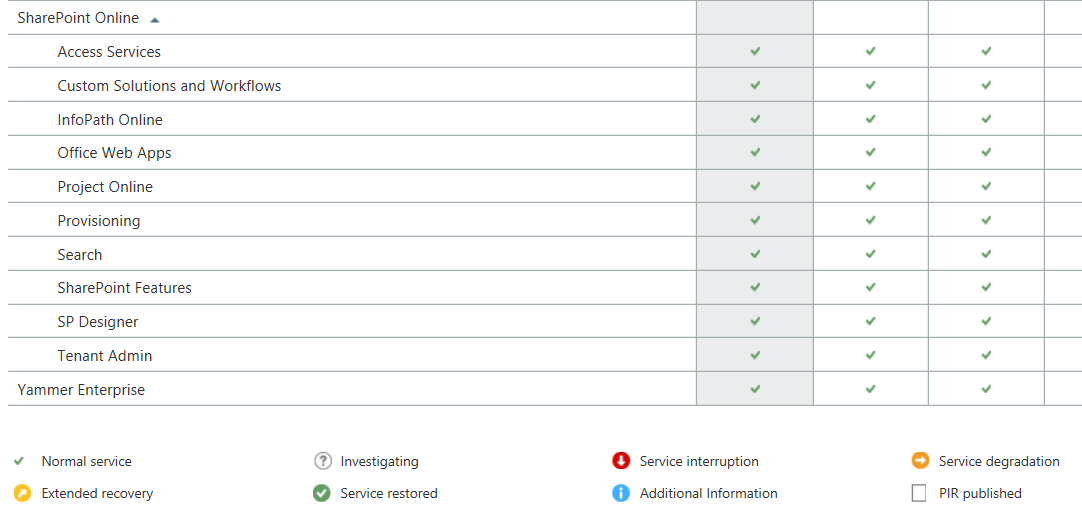
If an outage isn't on the dashboard, is it an outage?

If an outage isn’t on the dashboard, is it an outage?

At this point I have no idea what is wrong but this is the beauty of Office 365 and other cloud applications, I don’t have to fix it.

I contacted Microsoft Support and went on with other tasks. After 20 minutes or so I tries SharePoint again and it was working fine. To be honest, I wasn’t really upset about the outage. It was aggravating but not the end of the world.

Then Microsoft Support called …

The support engineer was polite and helpful. Apparently there had been an outage and SharePoint was inaccessible for a period of time. I said that I had checked the Dashboard and it didn’t say anything about an outage.His response was …

Response to outage

So, an outage occurred that affected customers but it remains unreported because it wasn’t a big outage? That makes me start to think …

  • According to the Dashboard, Office 365 almost never has issue but how can I trust that now that I know they don’t report short outages?
  • If Microsoft does not acknowledge the outage, how can I make claims against my SLA if I need to?
  • How big does an outage have to be to be reported?

Mostly I am upset because I need honesty from my application providers. I need to know when something is wrong on their end so I can stop troubleshooting things on my end. By not telling me there is, or even may be, a problem they are wasting my time. This is something I will bring up with my Microsoft representative but I suspect nothing will come of it.

Before I buy another cloud application I am going to want to see their historical dashboard records and then I am going to search the web for outage reports. If I find under-reporting on the part of the vendor, I am going to pass on their services.

This post was updated 9/10/2014: Added the response from Microsoft.

More critical issues to consider when choosing browser based tools or applications

Browser based applications seem like a good idea. You deploy a server with an application and users simply use a web browser to access it. No installation, patching, or maintenance of the end user’s workstation is required. What could be more simple?

As I wrote previously, this isn’t entirely true. On my Windows machines, it is common for me to have apps that require different versions of Internet Explorer or FireFox. It is hard to manage PCs when one application requires IE9 and another requires IE10. Some work on FireFox but only new versions while other won’t work with anything news that something that was released two years ago.

Sadly, it is still the big names in the business causing most of this havoc.

I recently discovered that the transition from Windows 7 to Ubuntu Linux was easier than the transition from Windows 7 to Windows 8. I still believe that but I ran into new complications.

Adobe Flash is no longer supported under Linux. Java is no longer supported in Chrome on Linux and OS-X. Imagine what that will do to your management capabilities! The vSphere 5.5 web client requires a new version of Flash and thus cannot be managed via Linux. Most of my Dell servers have management cards requiring Java. They are difficult to manage under Linux. I don’t even want to talk about the complexities of using a browser to manage my Cisco gear. Put simply, Linux is awesome but incompatible with many of the web applications available today.

It’s getting so complicated I am tempted to run a bunch of terminal or Citrix servers with specific browser versions so that when a user launches an app, I can launch it in the correct browser and version. What a pain.

If you are a web developer, I beg you, please do not write code that requires a specific browser or version of Java, Flash, etc. The overlapping requirements quickly combine to make it impossible to use every web application we have from a single machine. This is a real problem.

In theory, HTML 5 will save the day but I suspect it will take a decade for people to convert legacy applications to it and by then something else will be the new thing which breaks our applications.

Think carefully about using browser based applications. If you have more than two, you may have to have multiple machines just to be able to use them.

Is Linux or Windows 8 easier to use?

I have been using the original Surface as my laptop since it was released. To mu surprise iy has worked out very well. All of my applications, including odd ones like NMAP, work great. The only thing I dislike is the lack of ports. One USB port makes working with external devices a pain. I have purchased USB adapters so I can connect to devices via serial ports. The one things I have not purchased and that kills me is a USB to Ethernet cable. There are times I cannot be plugged into a docking station and need an Ethernet port. All things considered though, the Surface is a great laptop.

The one thing I still struggle with is Windows 8. (Yes, I updated to Windows 8.1 but it is still a pain to work with.) I open a PDF and it goes into tiles mode. Switching between the desktop and tiles is an insane design at best. Running on the desktop only seems like trying to avoid the inevitable. I have really tried to get comfortable with Windows 8 but the UI is just bad. It is by far the worst UI ever designed simply because you basically are using to operating systems at once.

I needed a laptop with a bunch of ports so I took an abondoned Windows 8 laptop and loaded Ubuntu Linux. (It was harder to delete Windows than it was to load Linux.) To my great surprise the load went well. The laptop had a touch screen which Ubuntu detected. Everything just worked. Installing software and hardening the OS was simple for an IT guy. What amazed me though was the interface.

When I use Linux, I typically don’t even load the GUI. What can I say, I love text only CLI interfaces on Linux. (I hate the Cisco CLI though.)  This was the first time I loaded a GUI on Linux in years. Frankly, the GUI was stunning

In all fairness, the Windows 7 interface is probably easier to use because it is about the same as every other version of Windows going back to 98. I realized that the change from Windows 7 to Ubuntu was minimal while the change form Windows 7 to Windows 8 was gut wrenching.

I am considering doing some A/B testing with users. I believe that if I were to have one group use Ubuntu and another use Windows 8 I would find the Ubuntu crowed more efficient. I might concede that they would be equally proficient but for the cost savings Linux would bring, why not use Linux?

I won’t inflict anything on end user that I won’t inflict on myself. I decided to go rouge and use Ubuntu as my only work laptop.

  • Email: Evolution seems to be a fine Outlook replacement. It does everything I need. I don’t know if it will work with Office 365 or newer version of Exchange though. If it doesn’t work, I can live with email on my phone and OWA.
  • Web Browsing: Everything but Internet Explorer. If you have to have IE, Linux won’t work.
  • JAVA: I have yet to get websites that use JAVA to work on Chrome. I will eventually but that seems to be a pain. (Hints are welcome.)
  • Security Tools: NMAP, Wire.Shark, and all my other favorite tools work better on Ubuntu than Windows. I run these on Linux anyway.
  • Visio: I love Visio but DIA seems to work well enough for me to diagram everything I need to diagram.
  • Office: LibreOffice does everything I need. I have yet to try to load a bunch of my Office docs in Linux but I suspect they will work. If not, I am willing to convert them all over time. I don’t use Office much anyway. I would prefer to use the web apps in either Office 365 or Google Apps anyway.
  • RDP: Yep, I can remote control all my servers.
  • Putty: I can remote control everything else
  • Printing: Paper is dead. I never print. I’ll have to test it at some point though.
  • Patching: We use Dell’s KACE system for patching. It works on some flavors of Linux. I still need to test this. If it doesn’t work, I can use the built in patching engine to keep everything updated.
  • Encryption: You can encrypt the hard drive during installation making laptop theft less of an issue. Password management might be a pain but so is data loss.

I don’t know if I would throw Ubuntu into production but if Windows 9 isn’t significantly easier to use, it may be hard to justify the cost of Windows anymore.

Are you listening Microsoft?

One critical issue to consider before using a cloud or browser based application

I used to believe that browser based applications would significantly reduce the time and effort required to deploy and manage applications. I am almost ready to ask my vendors for a fat client, meaning one I have to install on every PC.

The ugly truth

I have been dealing with two products from Oracle. The first is JD Edwards and the Second is Hyperion Financial Management. They are both browser based meaning I don’t need to install any applications on the end user PCs. I just send them a link and they can use the application … except that they can’t.

Today is June 18th, 2014. Internet Explorer 11, Firefox 30, and Windows 8.1 are the most current versions available today. (Firefox ESR 24 is available as well.)

Here are the browsers supported by Oracle for one of the products:

Oracle Supported Browser Versions

You may have noticed Internet Explorer and Firefox are the only two browsers supported. You will also notice that Firefox won’t work without an add-on and even then won’t work in every module. So, to use this product, I have to use Internet Explorer 9 or earlier.

I also have PCs running Windows XP, 7, 8 , & 8.1. A little research shows that I am in trouble.

Windows and IE versions

  • Windows XP: IE 8 is supported! Maybe I’m glad I waited to upgrade?
  • Windows 7: IE 8 was installed out of the box but most users upgraded to IE 10. I will have to downgrade them all back to IE 9.
  • Windows 8 & 8.1: Can’t run anything less than IE 10. No Oracle products for you!

It get’s worse! Major version upgrades are now automatic.

Starting with IE 10, the browser will automatically upgrade major versions when they are released. So IE 10 users will automatically move to IE 11, 12, 13, etc. You can disable the feature through group policy but you also have to prevent the user from installing newer versions themselves. I am not against automatic browser upgrades but in this case it will break my business critical applications.

It get’s worse! Not all products have the same requirements.

This is only one of the systems I manage that have draconian browser requirements. Other Oracle applications have different browser requirements. Some won’t run on older browsers while others won’t run on newer. It is getting difficult to keep everyone on a browser version that will work. It would be less complicated to push out a client application than to manage this nightmare.

Shame on Oracle … and everyone else.

If you are going to write a web based application, keep it up to date. You are essentially writing an application that shares the same “display application” as other applications and staying years behind the update curve causes problems for everyone. I understand this means we might have to upgrade the Oracle applications themselves but that isn’t even an option right now. Keep current or write your own client. That should be a law.

Cloud applications tend to be the opposite.

Most cloud applications are browser based. The difference is, they are updating their application all the time. Most cloud applications like Salesforce, Office 365, or Dropbox support the current and one older broswer version. Older than that and they won’t promise their application will work. I would much rather work at keeping my system up to date than keeping them years behind. They also tend to work with many browsers which makes life better.

So, browser based applications are NOT the  solution I had hoped for. I would spend less time supporting them if I simply had to install an application.

Is it too late for Microsoft Office for iPad?

Microsoft Office has been THE application for Word Processing, Spreadsheets, and Email for business for many years. I’ll save a lot of time by stating that I don’t think there is a better product on the market. So with the rumors of Microsoft planning to release Office for iPad you would think I would be jumping for joy?  I’m not … and I wonder who is.

Microsoft Office used to be for everyone

When I was young(er) everyone wanted a copy of Microsoft Office. You had to have it for school, work, or anything else you did. Scaled down versions came on every PC. Office was expensive but most people could find a way to own a copy. (If not, there was always Microsoft Works.)

Then it got expensive. As Office grew in complexity and businesses finally stopped using Word Perfect and Lotus Notes, the price of Office went up … and up … and up. Frankly, it got to the point where it was simply too expensive to buy a copy of Office. The non-profit and education companies I worked for could afford it because Microsoft gave generous price breaks but the small for-profit businesses started to struggle to pay when it became necessary to update from one version to the next.

Alternatives were born

Google Docs, when it started, had to be one of the worst word processors I had ever used. The spreadsheet was adequate but not awesome like Excel. GMail was frustrating because it wasn’t Outlook. Then the iPhone came out and Mac was popular again. Then the iPad comes out and the tablet revolution started. PC sales immediately dried up and tablet sales skyrocketed. Add Android phones and tablets to the picture and suddenly most people are using non-Microsoft systems for most of their non-work computing. I knew the world had changed when I saw more Macbooks at IT conferences than Windows laptops.

Microsoft Office did not work on any of these new devices. People started using alternatives. Google Docs, Evernote, Dropbox, Pages, etc. Suddenly there are hundreds of alternatives to Microsoft Office and people used them and have grown used to them.

Good enough is good enough

Microsoft Word is the best application for creating a printable document. But who does that anyway? Who creates memos to print and distribute? I don’t even own a printer anymore at home. At work, I find it almost insulting when I am asked to print something. Paper is SO last century. Word was designed for paper. Most of the alternatives were designed to work in the digital world … and they work just fine for most people.

Excel is still the best spreadsheet application out there but Google Sheets is catching up. I can do anything I need for home or work with it. Apple’s Numbers is frankly terrible but it works in a pinch. Only the accountants I work with need Excel. Everyone else is happy with whatever they can get on their iPad or Android device. People seem to have found that a free or very inexpensive application does everything they need as opposed to a $200 application that does everything.

Have people already moved on?

I admit, I have grown hostile to Microsoft over the years. They seemed to focus on Enterprise sized customers at the expense of the smaller companies I work for. I don’t like buying from businesses that don’t seem to value my business. So for me, I know I have moved on. I can live without Microsoft Office.

What about everyone else? Have we gotten so used to the apps we use as alternatives that we no longer need or want Microsoft Office? If Microsoft comes out with very inexpensive mobile versions of Office will people flock to it or will they stick with what they know?

If Office for iPad had come out five years ago, I think it would have been one of the most used apps today. As it stands, it is just another application in the long list of applications. Unless Microsoft can do something to win people back, I wonder if anyone outside of corporate old-timers will use it.

Microsoft Volume Licensing is NOT a discount program

Microsoft Logo

You would think Microsoft Volume Licensing allows businesses to purchase large quantities of software at a discount. Put simply, it doesn’t.

OEM software is far less expensive

When I order a computer, I can get a full copy of Microsoft Office for about $200. It is a retail copy meaning my usage rights are fairly restricted. I can’t move that copy to another computer. I can’t upgrade it when a new version comes out without spending a ton of money. If all I want is a copy of Microsoft Office to use until my computer dies, it will cost me $200.

Or, I can buy a copy through Microsoft Volume Licensing. I can choose between Open, Select, or Enterprise agreements. Depending on the price tier you are in and the volume you buy in you might pay as little as $400 for a copy of Microsoft Office through volume licensing. In fairness I get more usage rights with a volume license. I can move the license between computers for example which is very helpful. Is it worth paying twice as much for the convenience of moving a copy of Office from one computer to the next?

I have run the numbers every way I know how and the honest truth is there isn’t a way to justify the extra cost of buying through Volume Licensing.

Windows is getting less expensive, if you are an OEM

Although still in the rumor state, it appears Microsoft will be discounting Windows 70% to compete with Android and Apple. That would make me happy if that discount was available through Volume Licensing which to date it is not.

Once again, the most expensive way I can purchase Windows is through Volume Licensing.

Windows may end up being free

Another rumor is that Microsoft is considering making Windows free. I actually think this is a good idea but will it be free to enterprise customers? If Microsoft continues the trend of marking up software to volume customers, I suspect I will pay a hefty sum for an otherwise free product.

But the licenses are different!?!?

I can hear Microsoft salespeople screaming about how the volume license has different use rights than OEM and retail licenses and they are right. Volume licenses allow for much more freedom than OEM or retail licenses. What they fail to realize is that the math just isn’t adding up. With the cost of hardware going down every year, it is often less expensive to simply buy someone a new laptop instead of paying for upgrade rights on software.

Oh, and there is the audit thing

Read the Open, Select, and Enterprise agreement carefully and you will find that as the discounts increase, so do Microsoft’s rights to audit your software usage. If you sign an Enterprise agreement for example, Microsoft has the right to conduct an onsite audit without notice.

I would never knowingly deploy software I had not purchased but that doesn’t mean I want to volunteer for more vigorous audits. The “discount” I get would likely not pay for my time to conduct the audit.

Buying OEM is the least expensive and most painful way to get licensing from Microsoft

I am really struggling with this concept. I am tired of paying more for products using volume licensing but it is hard to order everything you need when you order a computer. It is also getting harder to buy things retail since many products are moving to subscription pricing. Regardless, it is hard for me to pay volume pricing for the limited benefit I get from it.

Should I buy a Windows, Apple, or Android Tablet?

Apple iPadConsider this common set of events…

You are at work and create a simple Excel worksheet because that is the application you have loaded on your work laptop. Perhaps it is a grocery list, schedule, or some other file you need at home. (I’m sure you created this personal file on your lunch break.) You save it to Dropbox or some other file sharing application, go home, grab your Windows 8 Pro tablet … and cant open the file. You have not purchased a copy of Microsoft Office for your tablet!

Ironically, the solution is simple. Open your Android or Apple device and you can view the document fine in one of the free applications that come on your phone. Or, you could spend $139 on Microsoft Office Home and Student.  Or you could subscribe to Office 365 Home Premium for $100 per year Of course, there are free options. You could use Google Drive on all your devices. You could load  one of the Office alternatives on your Microsoft Tablet. Regardless of the product you choose, you will not be able to use a Windows 8.1 Pro device without loading additional software.

Don’t forget virus scan

Remember, a Windows 8.1 Pro tablet is running a full version of Windows. This means you should protect it the same way you would protect a Windows PC or laptop. You should install a Virus scanner. There are plenty of free versions for home use but be careful what you download. There are dozens of sites that distribute “free virus scanners” which are really just viruses.

Don’t forget to install and update Adobe Readers, JAVA, and Flash

If you need them, you will be installing applications like Java and Adobe Flash. Keep in mind that these applications are some of the most attacked on the Internet. Just loading them dramatically increases the risk you run of getting a virus or other malware. You must ensure these applications are up to date at all times to mitigate this risk. (Installing virus scanning alone will not help.)

Don’t forget to backup your data

Unlike an Apple or Android device where you can backup everything to the cloud for free, you are going to have to find software to backup your Windows 8.1 Pro tablet. There are inexpensive solutions out there but none that I trust are free.

What about Windows RT?

Windows RT is s version of Windows that does not run traditional Windows Apps. It is not the same thing as Windows. You cannot install software on it unless it comes from the Windows Store. It does come with a scaled down version of Microsoft Office though.

I don’t recommend Windows RT devices yet because they don’t have the same quantity of software that Apple and Android devices have. It is also doing poorly in the market right now and Microsoft has a habit of pulling poorly performing products off the market (Anyone remember the Microsoft Phone?)

Don’t buy a Windows 8.1 Pro device if all you want is to consume information

If you want a tablet to surf the web, update social media, and create simple files like grocery lists then a tablet is the perfect device for you. Either Apple or Android will work great for you. I am a fan of “staying in one ecosystem” meaning if I buy things on iTunes then I need to stick with Apple devices. If I buy things from Amazon or Google then I should buy Android devices.

I would only buy a Windows 8.1 Pro device if I need to sit and type for eight hours a day. Remember, if it runs Windows 8.1 Pro it is the same as a laptop or PC, just in a smaller case. You have to manage it just s you would a Windows PC. For most people, an Apple or Android device will be much less work to use.