The perfect but perhaps extreme solution for SPAM

As a decision maker in IT, I get dozens of unsolicited email messages a day. That may not sound like much but that is after some rather extensive anti-spam techniques:

  1. I never give out my email address except when I need to do business with someone.
  2. When people call and ask if they can email me a whitepaper I say NO.
  3. My spam filter blocks 95% of all email sent to my domain, and thus me.
  4. I unsubscribe from every email list I end up on.
  5. If a vendor does not have an unsubscribe function when they send me email I have a button I click which adds their domain to my blacklist and sends them a message that they have been blocked for not complying with the CAN-SPAM act. (I take particular joy in this … is that wrong?)

Still, I get SPAM. This frustrates me because I am in a position where I have to check email when it comes in. I get notified when a system is down via email so not checking is not wise. That means that the 20-30 unsolicited marketing messages that get through interrupt my work.

Enter the extreme SPAM filter process

Step 1: Who do I want mail from?

I want email from

  • everyone in my company
  • anyone I do business with
  • anyone in my contact list

I don’t want email from anyone else.

Is this reasonable? Is there any compelling business reason to accept unsolicited email from everyone? In my position, I am not looking for new customers so blocking email shouldn’t affect my ability to do my job. The amount of time that is spent deleting unwanted email far exceeds any benefit I get from it. It just seems rude to ruthlessly block the world but then again, they are interrupting my day without my consent. I would love to know everyone else’s thoughts on this.

Step 2: Setting up the filter

Outlook Safe Sender ListUsing Outlook 2013 I can easily set this up.

In Outlook, on the Home Tab, select Junk –> Junk Email Options.

Click the Safe Sender Tab

Add every domain you know you want to receive mail from. Frankly, this will take a while. You have to add all your domains, all the domains your devices send mail from, and all the domains of the vendors your work with. I spent some time sorting through my saved email to come up with this list. I tend to whitelist domains instead of users.

I recommend checking Also Trust Email from my Contacts and Automatically Add People I Email to the Safe Sender List.

Step 3: Applying the filter

Junk Email Options in Outlook 2013

Click on the Options tab and choose Safe List Only.

Now email from someone not white-listed in the Safe Sender Tab is sent to your junk folder.

For the next month, you are going to want to pay attention to your junk folder and continue to white-list people you need to get email from.

I also try to add vendors as contacts since I do business with them and that keeps me from having to add them to the white-list.

Step 4: Not missing something important

Looking through all the junk in your junk mail folder is annoying but you need to do this regularly until you are sure you are not missing messages.

When you find a message you need in the junk mail folder, right click it –> junk –> Not Junk. I then delete all the mail in my junk folder to make skimming it later less of a chore.

Go back to the Safe Sender List you created earlier. You will notice lots of individual email addresses like bob@domain.com. If you need email from everyone in that domain, edit the entry so that only the domain name is left. (@domain.com)

A new way of thinking about email

Junk folder in Outlook FavortiesI added the Junk folder to my favorites and moved in under the inbox. Because you have to check junk mail regularly you essentially have two inboxes. The first “Junk” inbox won’t make your phone beep, won’t make your computer beep, and won’t interrupt your day. Yes, you have to check it but over time that becomes less important.

The Inbox becomes a priority inbox from people you actually need to hear from and have your permission to interrupt your day.

Alternatives that are less extreme

I use this method because I only get notified of email that I have specifically approved. I find that I have to check my junk mail folder more often but since those messages don’t interrupt me, I am not losing productivity when they arrive.

You could accomplish something similar using rules and changing the notification settings.

Another option is to change how often Outlook checks for email. Setting it to 30 minutes guarantees you a half hour of productivity before someone derails your day.

Well, I hope this helps you stay productive. It has helped me but took a while to “fine tune.”
Office 365: How long does an outage need to last to be an outage?

I was working on a SharePoint site in Office 365 recently when the site became unresponsive. <Click> count to 10 <click again> count to 10. The site was so slow it was unusable. I dd the normal troubleshooting routine:

  • Is my computer performing well? Yes
  • Is my Internet connection congested? No
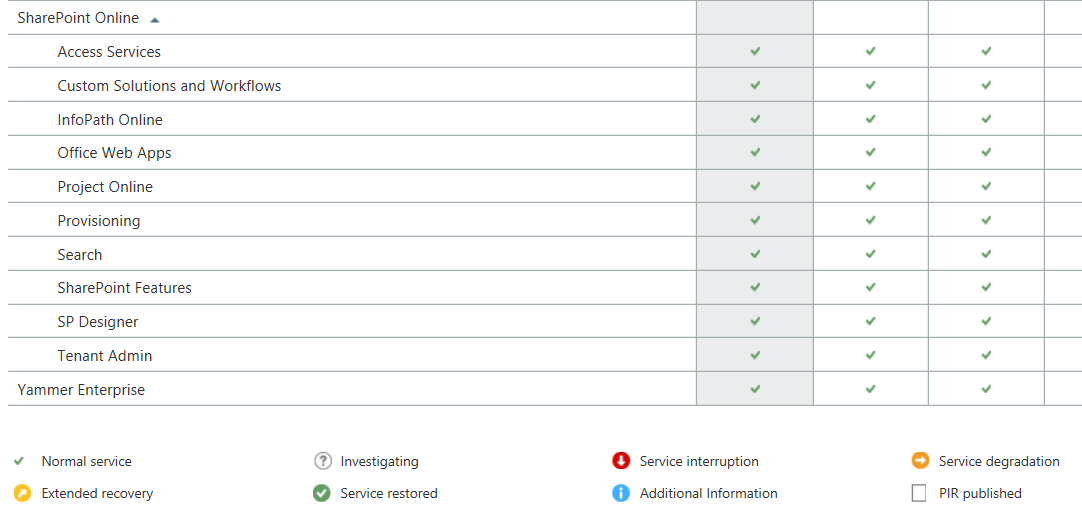
  • Does the Office 365 Service Dashboard say anything is wrong? No
If an outage isn't on the dashboard, is it an outage?

If an outage isn’t on the dashboard, is it an outage?

At this point I have no idea what is wrong but this is the beauty of Office 365 and other cloud applications, I don’t have to fix it.

I contacted Microsoft Support and went on with other tasks. After 20 minutes or so I tries SharePoint again and it was working fine. To be honest, I wasn’t really upset about the outage. It was aggravating but not the end of the world.

Then Microsoft Support called …

The support engineer was polite and helpful. Apparently there had been an outage and SharePoint was inaccessible for a period of time. I said that I had checked the Dashboard and it didn’t say anything about an outage.His response was …

Response to outage

So, an outage occurred that affected customers but it remains unreported because it wasn’t a big outage? That makes me start to think …

  • According to the Dashboard, Office 365 almost never has issue but how can I trust that now that I know they don’t report short outages?
  • If Microsoft does not acknowledge the outage, how can I make claims against my SLA if I need to?
  • How big does an outage have to be to be reported?

Mostly I am upset because I need honesty from my application providers. I need to know when something is wrong on their end so I can stop troubleshooting things on my end. By not telling me there is, or even may be, a problem they are wasting my time. This is something I will bring up with my Microsoft representative but I suspect nothing will come of it.

Before I buy another cloud application I am going to want to see their historical dashboard records and then I am going to search the web for outage reports. If I find under-reporting on the part of the vendor, I am going to pass on their services.

This post was updated 9/10/2014: Added the response from Microsoft.

Should I buy a Windows, Apple, or Android Tablet?

Apple iPadConsider this common set of events…

You are at work and create a simple Excel worksheet because that is the application you have loaded on your work laptop. Perhaps it is a grocery list, schedule, or some other file you need at home. (I’m sure you created this personal file on your lunch break.) You save it to Dropbox or some other file sharing application, go home, grab your Windows 8 Pro tablet … and cant open the file. You have not purchased a copy of Microsoft Office for your tablet!

Ironically, the solution is simple. Open your Android or Apple device and you can view the document fine in one of the free applications that come on your phone. Or, you could spend $139 on Microsoft Office Home and Student.  Or you could subscribe to Office 365 Home Premium for $100 per year Of course, there are free options. You could use Google Drive on all your devices. You could load  one of the Office alternatives on your Microsoft Tablet. Regardless of the product you choose, you will not be able to use a Windows 8.1 Pro device without loading additional software.

Don’t forget virus scan

Remember, a Windows 8.1 Pro tablet is running a full version of Windows. This means you should protect it the same way you would protect a Windows PC or laptop. You should install a Virus scanner. There are plenty of free versions for home use but be careful what you download. There are dozens of sites that distribute “free virus scanners” which are really just viruses.

Don’t forget to install and update Adobe Readers, JAVA, and Flash

If you need them, you will be installing applications like Java and Adobe Flash. Keep in mind that these applications are some of the most attacked on the Internet. Just loading them dramatically increases the risk you run of getting a virus or other malware. You must ensure these applications are up to date at all times to mitigate this risk. (Installing virus scanning alone will not help.)

Don’t forget to backup your data

Unlike an Apple or Android device where you can backup everything to the cloud for free, you are going to have to find software to backup your Windows 8.1 Pro tablet. There are inexpensive solutions out there but none that I trust are free.

What about Windows RT?

Windows RT is s version of Windows that does not run traditional Windows Apps. It is not the same thing as Windows. You cannot install software on it unless it comes from the Windows Store. It does come with a scaled down version of Microsoft Office though.

I don’t recommend Windows RT devices yet because they don’t have the same quantity of software that Apple and Android devices have. It is also doing poorly in the market right now and Microsoft has a habit of pulling poorly performing products off the market (Anyone remember the Microsoft Phone?)

Don’t buy a Windows 8.1 Pro device if all you want is to consume information

If you want a tablet to surf the web, update social media, and create simple files like grocery lists then a tablet is the perfect device for you. Either Apple or Android will work great for you. I am a fan of “staying in one ecosystem” meaning if I buy things on iTunes then I need to stick with Apple devices. If I buy things from Amazon or Google then I should buy Android devices.

I would only buy a Windows 8.1 Pro device if I need to sit and type for eight hours a day. Remember, if it runs Windows 8.1 Pro it is the same as a laptop or PC, just in a smaller case. You have to manage it just s you would a Windows PC. For most people, an Apple or Android device will be much less work to use.

Why Microsoft should abandon Windows (Sort of)

When nothing but the PC existed, it was easy to have a one-size-fits-all operating system. Now that computers are shaped like phones, tablets, laptops, and legacy PCs the one-size-fits-all operating system just doesn’t work. Continuing to try to make Windows work on a modern phone AND legacy PC is killing Microsoft. How would I fix it?

Kill Windows

No, not really, but release a final version of Windows that runs on PCs and Laptops which we will all be calling legacy devices soon enough. Commit to supporting “Windows Legacy” with security patches for 10 years so enterprises will have time to migrate their custom apps to a new platform. This is the operating system for businesses that can’t let go of the past.

Windows Next

Come up with some clever name for the tablet/phone version of Windows using the new interface, formally known as Metro. Basically this would be like the Windows RT operating system where you can run new apps but nothing legacy. The desktop is dead once and for all. I love the desktop but face it, it won’t work on mobile devices which is what we will all be using soon.

Stop forcing us to buy Office

Microsoft Office is the best productivity application on the market but most users only need a small percentage of the features is has. Products like Google Apps are good enough for most users today and will be more than enough soon. In order to compete, create a simple version of Office for “Windows Next” and create a final “Office Legacy” product for “Windows Legacy.”

Frankly, I hope it doesn’t sell, because we will all be using Office 365.

Focus on the cloud

Enough with desktop installation and patching. Enough with per machine licenses. Enough, enough, enough. Focus on Office 365, CRM Online, and migrating business applications to the cloud.

If it won’t run in a web browser, it shouldn’t be developed. Well, perhaps that is an overstatement but if it does require a client, it should work equally well on every operating system. It should also run equally well on any web browser.

Microsoft should stop trying to save Windows by making software that only runs on Windows. Instead, they should be writing applications that work on any device. Microsoft needs to admit it has lost the battle for control of end user devices and focus on applications.

Make something we want to use again

Microsoft products are loved by few. Office is great but more and more people are willing to give it up due to the staggering price. Internet Explorer is rarely used outside of a legacy application requiring it. Businesses are avoiding Windows 8 like the plague. And Office 365 works best if you run a full version of Microsoft Office … which requires Windows.

Microsoft has the resources to build a product everyone wants to use. I honestly think they could have the best cloud products out there if they would stop trying to save Office and Windows by tying all their products to them.

I know it is a hard pill to swallow but Windows cannot be all things to all people anymore. It is time to do something different.

Challenges to implementing Office 365 E3

Imagine having multiple domains in multiple forests with multiple Exchange servers. Some of the domains are still running Windows 2003 domain controllers. Many of the desktops are running Windows XP. Microsoft Office was purchased OEM so end users have version running from 2000 to 2013. Several smaller business units are running Small Business Server 2003 while the larger use Exchange 2003 and 2007. You have about 1,000 users in multiple locations being managed by multiple IT departments.

And yes, it is 2014. Years of neglect have created this “diverse” computing environment. This may not represent your company but you probably have at least one of these issues to deal with if you need to upgrade your Exchange server. Doing nothing isn’t an option so what do you do?

Single Sign On

You probably want single sign on for your domain. Honestly, many of the features that make Office 365 useful work best with single sign on. Some of these steps can be avoided if you want your users to have one account for email and another to log into their computer.

Single Sign On will require Active Directory Federation Service to be installed and working in your domain or in the cloud. Once working, whatever username and password you use to sign into your computer are what you will use to sign in to your Office 365 account. When you disable an account in AD, it will be disabled in Office 365. 

You can convert from Single Sign On to separate accounts but you cannot go from separate accounts to SSO.  Decide early if SSO is important to you because there is no going back. 

Exchange 2013

Office 365 is essentially Exchange 2013. You will need Exchange 2010 or better to migrate to Office 365. If you are running Exchange 2010, you may not need to do any more upgrading, if not, you will be installing Exchange 2013. That means your domain and forest have to be ready for Exchange 2013. The system requirements can be found here: http://technet.microsoft.com/en-us/library/aa996719(v=exchg.150).aspx

Remember:

  • you cannot install Office 2013 on Windows XP. This is probably good as it forces you to upgrade or replace all your Windows XP machines but it can be painful if you have a lot of them.
  • Office 2007 is the earliest version that works with Office 365. (If you are buying Office 365 E3, you get a copy of Office 2013 for every user.)
  • Office 365 requires Internet Explorer 9+ or other browsers. Again, you can’t run IE 9 on XP.
  • Exchange 2013 cannot coexist with Exchange 2003 or earlier.

So, to use Office 365 or Exchange 2013, you must upgrade or replace your Windows XP machines with Windows 7 or 8. (Vista would work as well by why torture yourself?) You must also upgrade to Office 2007 or better or people will have trouble using email during the migration. Lastly, Exchange must be 2010 or later.

Active Directory

Although it appears that you could keep multiple domains in multiple forests, all the consultants I have talked to recommend against it. If you ended up with multiple forests through acquisitions or accident, this us the time to collapse into a single forest. Once you integrate into Office 365, it will be difficult collapse domains or forests.

In my early career, I was a consultant that specialized in Active Directory migrations. It has been years since I have done one and things have changed. Unless you do Active Directory migrations all the time, I suggest hiring a high quality consulting firm to help.

Once your domain and forest are running in Windows 2008 mode or better, you can proceed with the migration.

How to Migrate to Office 365

It should be obvious by now the project will be more complex than you expected.

Get your Active Directory in Order

The first step is to take the time to get AD updated and in good working order. Collapse any unwanted domains and forests and update it to at least Windows 2008 mode.

Get rid of legacy systems

Windows XP and Office 2003 must go. The most difficult issue to overcome will be how to upgrade Office before you purchase Office 365. If you buy Office OEM or through volume licensing you are wasting money. If you buy Office 365 months before you start using it, you are wasting money.  This is certainly a disincentive to upgrade to Office 365. It would be worth your time to try to negotiate a temporary license for Office to use during the migration.

Migrate to Office 365

The actual migration to Office 365 will be simple compared to the prerequisites. Again, unless you have deep Exchange expertise, hire a consultant. Every situation is a little different and only people that do these migrations regularly can predict how decisions you make will affect you.

I should point out that I am not a consultant … I am the guy that hires the consultants. I am all for saving money but email is important enough to do right.

It might not be this hard

If you stay caught up with technology, are running Windows 7 or better everywhere, have your Active Directory in a mode that was created in the last five years, and avoid 10 year old software, you may be able to migrate with only a little preparation. On the other hand, if you work for a company that only spends money on IT when they have to, the move to Exchange 2012 or Office 365 is going to be very expensive. This is really a good argument for keeping things up to date because in the end … you will have to upgrade everything.